QuizUN
1. Question Content...
EXPLANATION
Answer: X - EXPLANATION Content.
Question1: What are the attributes of a talent card?Note: There are 2 correct ans-wers to this que-stion.
Question2: Which of the following features can be displayed within the Succession Org Chart v12?Note: There are 3 correct ans-wers to this que-stion.
Question3: How do you add filters to the Competency-Objective Matrix?
Question4: What must customers do before using Presentations?Note: There are 3 correct ans-wers to this que-stion.
Question5: Which of the following Succession Management permissions require a target population?Note: There are 3 correct ans-wers to this que-stion.
Question6: When do the end users see the default search fields in the Talent Search?Note: There are 2 correct ans-wers to this que-stion.
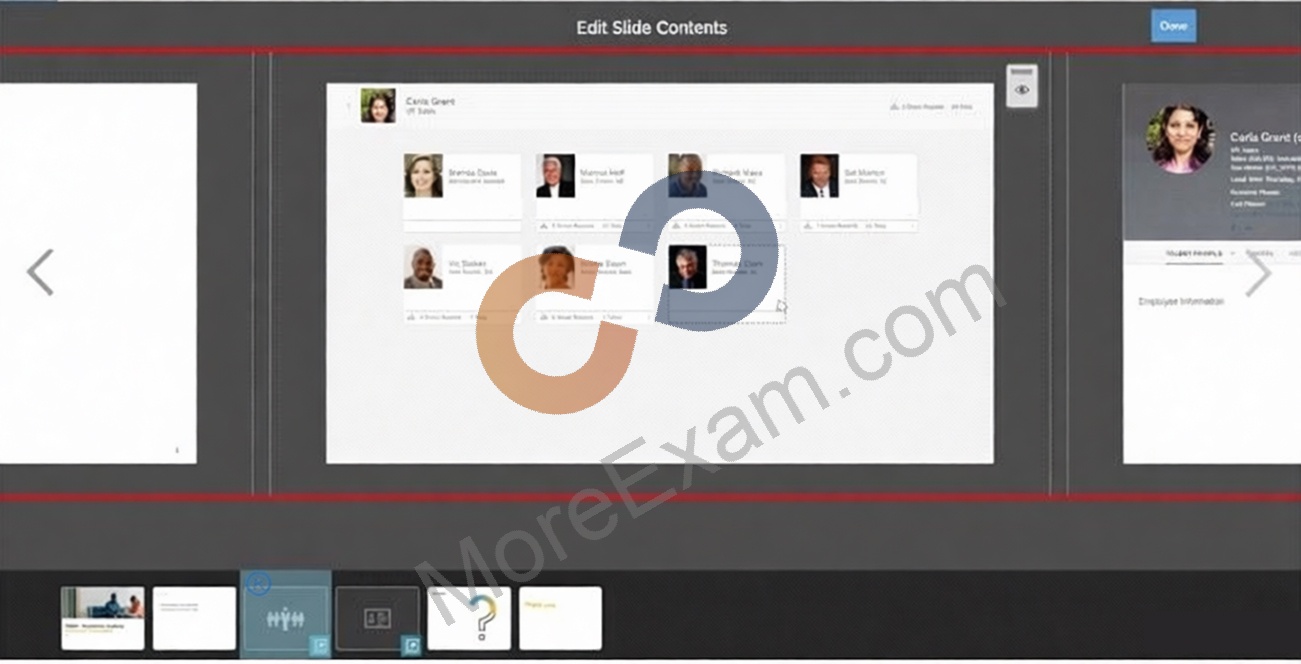
Question7: What can a user do in the Edit Slide Contents area?Note: There are 3 correct ans-wers to this que-stion.
Question8: Which of the following are configuration options for of the Objective-Competency Matrix Report (How vs.What)?Note: There are 2 correct ans-wers to this que-stion.
Question9: When utilizing a talent pool in Succession, what actions can a user take?Note: There are 3 correct ans-wers to this que-stion.
Question10: Where can you select the option to exclude a succession planner from seeing themselves within a succession plan?
Question11: What can a user accomplish using the eye icon on the screen shown here?Note: There are 2 correct ans-wers to this que-stion.
Question12: Where in Admin Center can you export a template to create trend information data to be imported?
Question13: Which of the following are examples of available filter options for the matrix grid reports?Note: There are 2 correct ans-wers to this que-stion.
Question14: Your customer wants to calibrate performance and potential in a session.Which of the following are advantages in a Calibration Session that are unavailable in a Performance-Potential Matrix report?Note: There are 2 correct ans-wers to this que-stion.
Question15: Which of the following are calibration options specific to Succession Management?Note: There are 3 correct ans-wers to this que-stion.
Question16: You use the Import Extended User Information feature within Admin Center to add background data.How can you verify the success of the import?
Question17: What must you do to allow a user to view the Nominate button for Talent Search V2?Note: There are 2 correct ans-wers to this que-stion.
Question18: Your customer would like to configure the icons within the Succession talent card.Where can these changes be made?
Question19: What is the main purpose of the Lineage Chart tool?
Question20: What are the prerequisites for a background element to be visible in People Profile?Note: There are 2 correct ans-wers to this que-stion.
Question21: What is the behavior of the Export All option in Talent Search?Note: There are 2 correct ans-wers to this que-stion.
Question22: What information is included in the Background Data Import template?
Question23: What options do you have to add users from the Add Population dialog in a custom profile slide?Note: There are 2 correct ans-wers to this que-stion.
Question24: Which Succession tools have an option that allows an administrator to select a specific process or all data sources within the Admin Center settings?Note: There are 2 correct ans-wers to this que-stion.
Question25: What expanded capabilities do talent pools provide to customers?Note: There are 2 correct ans-wers to this que-stion.
Question26: What attribute do you add to the Department field in the data model to convert text fields to dropdown lists in Talent Search?
Question27: What are the differences between the MDF Position and the Legacy Position nomination methods?Note: There are 2 correct ans-wers to this que-stion.
Question28: Which of the following activities are advantages when choosing the MDF Position Nomination Method over the legacy Position Nomination Method?Note: There are 3 correct ans-wers to this que-stion.
Question29: Your customer wants to define a process to retrieve ratings for selected sources in the matrix grid report.Which of the following are valid rating sources to define in Processes and Forms?Note: There are 3 correct ans-wers to this que-stion.
Question30: Using the Legacy Position-Based Nomination Method, where can fields be added for the Position dialog?
Question31: When utilizing the Succession Org Chart v12 and the Lineage Chart, what must you do to display Succession Planning data (for example, Talent Information, Formal Education)?
Question32: Where are the Lineage Chart V12 icons configured?
Question33: Which of the following are trend elements?Note: There are 3 correct ans-wers to this que-stion.
Question34: What actions must you complete before you assign talent pool permissions?Note: There are 3 correct ans-wers to this que-stion.
Question35: Which of the following attributes can you define for child elements in both standard elements and background elements?Note: There are 2 correct ans-wers to this que-stion.
Question36: Which of the following tools allow you to back up a Succession Data Model?Note: There are 2 correct ans-wers to this que-stion.
Question37: Where can you configure the Performance-Potential Matrix Grid icons?Note: There are 2 correct ans-wers to this que-stion.
Question38: Which of the following values are included in the Personal Information Import template?Note: There are 2 correct ans-wers to this que-stion.